How Kyocera's Built-In Security Features Protect Your Business

Most businesses lock down their laptops, their servers, and their email, and never think twice about the printer sitting in the corner. That's a gap. A modern office printer or multifunction device (MFP) is a networked computer with its own hard drive, its own login activity, and often its own copy of every document that passes through it. Left unmanaged, it's one of the easiest ways sensitive pieces of information leave a business without anyone noticing.
The good news is that this is a solved problem. Kyocera builds serious security capability directly into its business devices. The less obvious part is that having the technology and having it properly configured, maintained, and monitored are two different things. Here are five print security risks most offices overlook, the Kyocera features built to address each one, and where a managed print partner's service team fits in.
Why Printers Are a Bigger Risk Than Most IT Policies Assume
Ask most office managers about their business's biggest security risks and printers rarely make the list. Yet a networked MFP checks nearly every box that makes an endpoint worth securing: it holds data (often a hard drive full of scanned and printed documents), it talks to the network, and it's usually the one device in the building
nobody assigns to anyone to actively manage. That combination is exactly why print security has become its own category, separate from general IT security, with manufacturers like Kyocera investing specifically in it.
5 Print Security Risks Most Offices Overlook
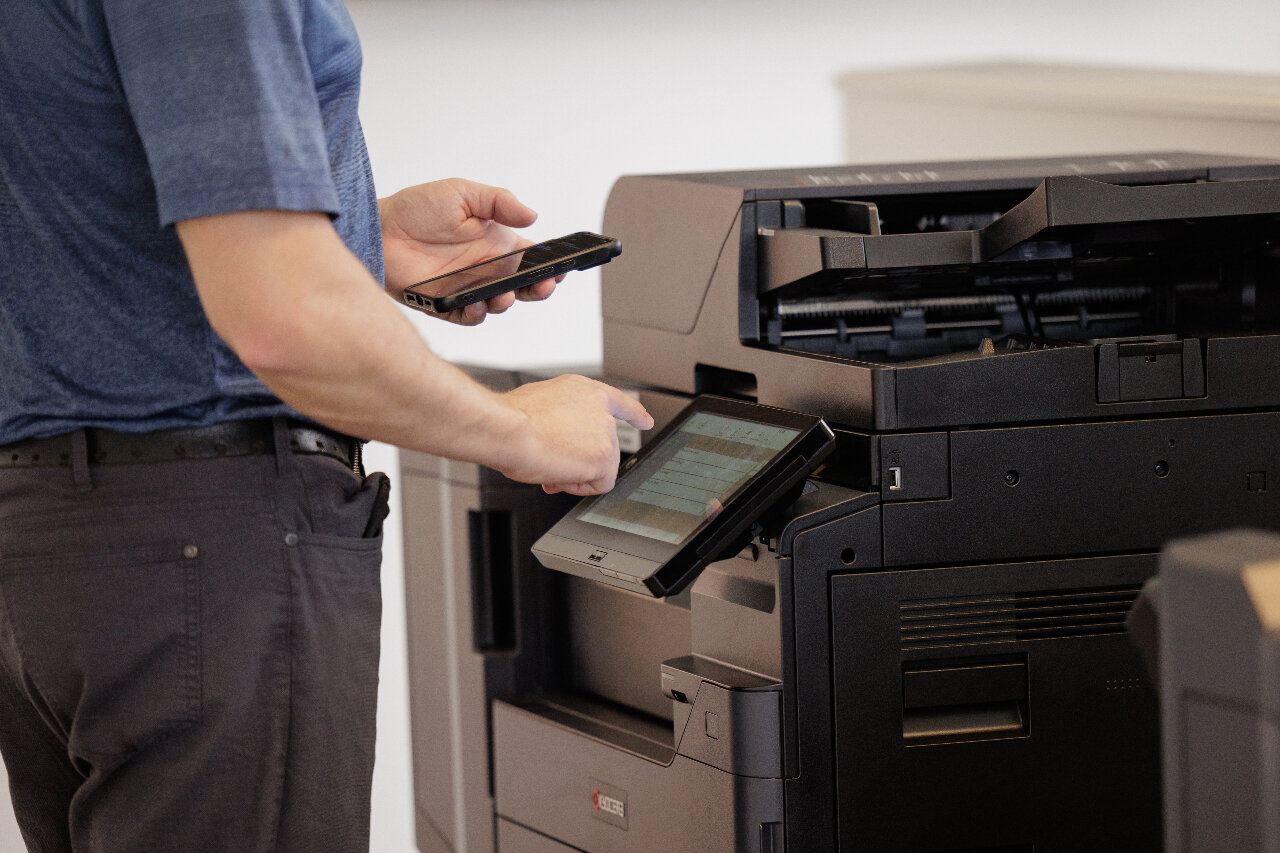
1. Unclaimed printouts sitting in the output tray. A print job sent to a shared printer often sits in the tray, visible to anyone who walks by, until someone remembers to collect it. Kyocera devices support secure, authenticated print release, called private printing, where a job only prints once the user badges in or enters a unique PIN at the device. Nothing sits exposed waiting to be picked up by the wrong person.
2. Sensitive data stored on the printer's own hard drive. Every scanned or printed document typically passes through the device's internal storage, even briefly, and on many MFPs that data can remain recoverable if the drive isn't managed. Kyocera's data security capabilities encrypt information stored on the device and can optionally be configured to overwrite it after each job, so scanned contracts, HR records, or financial documents don't linger where they shouldn't.
3. Unsecured communication between the printer and your network. A printer that isn't configured to encrypt its network traffic, or that leaves unused ports and protocols open, is a door left ajar on your network. Kyocera devices support the latest encrypted communication protocols and interface restrictions that limit how, and from where, a device can be accessed, closing off an entry point most businesses never think to check.
4. No visibility into who's printing or scanning what. Without user authentication, any device on the network can send a print job, and there's no record of who did it. Kyocera's built-in authentication features ensure only users you've approved can send jobs to the device. Pairing Kyocera with Papercut adds optional access-control features that tie every job to a specific user and keep an audit log, which matters both for catching misuse and for demonstrating compliance if your business is ever asked to.
5. Data left behind when equipment is retired or returned off-lease. A device that's upgraded, sold, or returned at the end of a lease still holds whatever was stored on its drive unless that data is properly wiped first. Data removal is something we treat as a priority, not an afterthought: Kyocera's secure data sanitization features are designed to prevent recovery after decommissioning, so you can be confident your data doesn't end up in anyone else's hands after the device leaves your office. If you'd rather oversee that process directly, Document Imaging Partners can also arrange to sell you the internal drive so your organization handles its own sanitization.
Independently Verified, Not Just Marketing
Kyocera's security capabilities aren't just a features list: many of its devices are evaluated against Common Criteria (ISO/IEC 15408), an internationally recognized security certification standard used to independently validate that a device's security functions actually work as claimed. That third-party validation is worth knowing about if your business operates in a regulated industry or simply wants more than a manufacturer's word that a device is secure. Want to know more? Feel free to ask us for Kyocera's security white papers.
Why Technology Alone Isn't Enough
Built-in security features only protect your business if they're actually turned on, configured to match your policies, and kept up to date, and that's where most of these features quietly go unused. A device can ship with encryption, authentication, and secure release all available and still leave a business exposed if nobody configures them at setup, or if firmware updates lapse over time.
This is the piece a managed print partner can help with. Our service team works alongside your IT to configure the security features built into your Kyocera equipment: setting up authenticated release, confirming security protocols meet your business demands and enabling restrictions for who can access the device itself if required. We then keep that configuration current with regular firmware updates as part of your ongoing maintenance agreement, rather than something set once at install and never revisited.
Frequently Asked Questions
Do all Kyocera printers include the same security features?
No. Feature availability varies by model and series, and some capabilities, like certain data encryption options, are add-on kits rather than standard on every device. The most reliable way to know exactly what's available on your equipment is to check with your provider about the specific models in your fleet.
How does secure or authenticated print release actually work?
A print job is held on the device (or a print server) instead of printing immediately. The user then authenticates at the printer itself, typically with a badge tap or PIN, and only then does the job release. If nobody picks it up, it's never sitting exposed in the tray.
What happens to the data on a printer when we return it at the end of a lease?
Unless the drive is properly sanitized first, data can potentially remain recoverable. As part of a managed print agreement, Document Imaging Partners runs data sanitization routines as a standard step whenever equipment is retired, upgraded, or returned, not something left for someone to remember at the last minute. If you'd rather handle that step yourselves, the internal hard drive can also be sold to your organization to be processed by your own data sanitization procedures.
Is print security really a concern for a small or mid-sized business?
Yes. Smaller businesses are often targeted precisely because they're assumed to have fewer safeguards in place. These risks apply at any size of business, not just larger enterprises with dedicated IT security teams.
Can your team configure these features for us, or do we need our own IT department to handle it?
Our service team can assist with understanding and locating these settings within your Kyocera equipment, and we're glad to work alongside your IT team rather than replace their role. Either way, it's included as part of ongoing print fleet support, not a one-time setup you're left to manage alone. Simply tell us what protocols you wish to change and we will ensure they reflect your entire fleet. Document Imaging Partners are here to guide and assist wherever possible.