2026.08.05
 Time to Read: 7 minutes
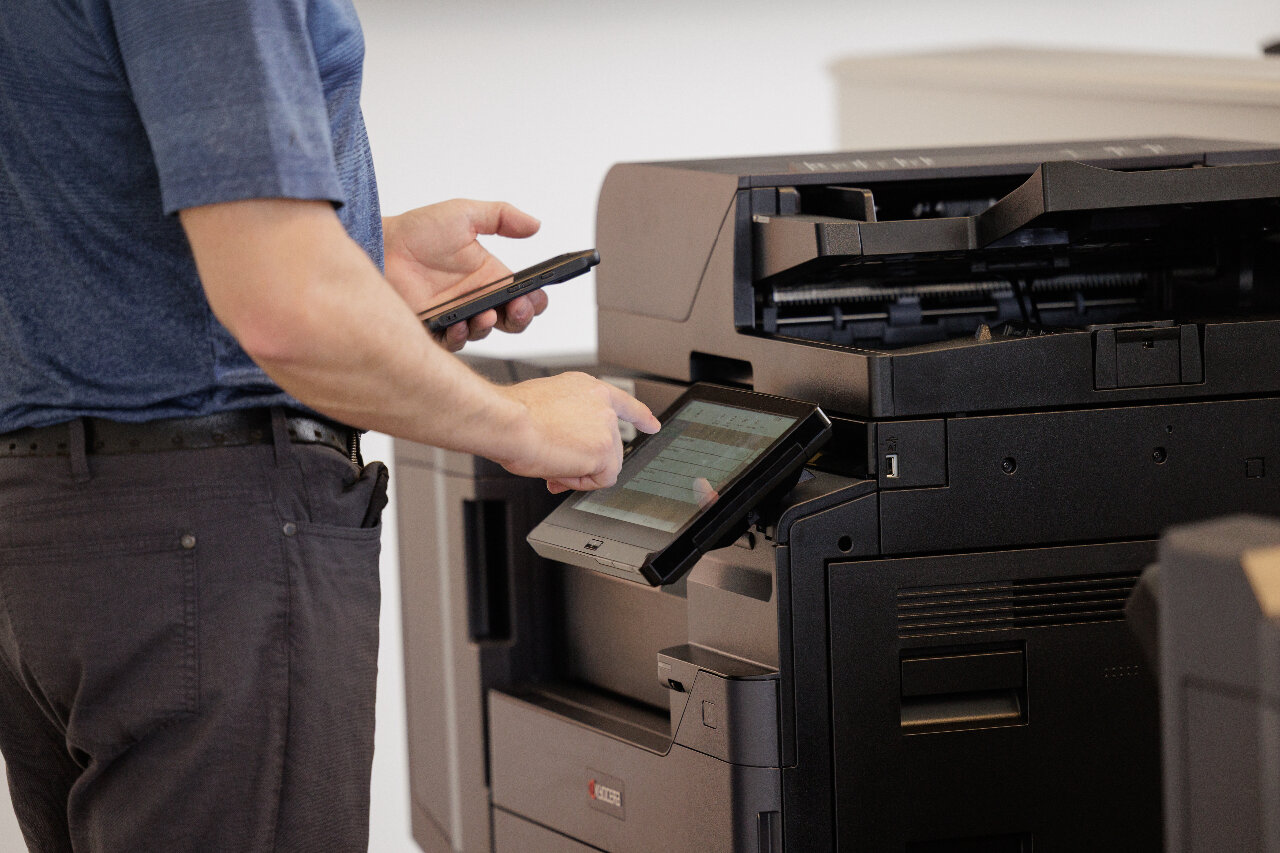
Managed print services (MPS) is a contract-based arrangement where a document management company takes full responsibility for your office print environment — devices, supplies, maintenance, and security — for one predictable monthly cost. After 24 years serving Southwestern Ontario, we see the same pattern repeatedly: a business is overspending on printing, has no real visibility into that spend, and is dealing with breakdowns and vendor headaches — until a proper print assessment reveals significant, often immediate savings.
So what does managed print actually include, and how do you know whether it makes sense for your business? Here's what to know before you evaluate a provider.
What Managed Print Services Actually Means
Managed print services means an outside provider takes responsibility for your entire print environment — the multifunction printers and photocopiers themselves, plus the supplies, maintenance, software, security, and monitoring that keep everything running. Instead of calling for service when something breaks or chasing toner orders when you run out, your provider handles it proactively for one predictable, volume-based monthly cost. We exclusively carry Kyocera equipment for its proven reliability. For businesses with 10 to 200 employees, that shift from reactive to proactive is usually where the biggest value shows up — not just in reduced cost, but in time returned to your team.
What's Included in a Managed Print Programme
A comprehensive programme covers:
- Fleet assessment. A full review of your current devices, usage patterns, and true costs, so you know exactly what you have and what you're spending before making any decisions.
- Right-sized Kyocera equipment. As Canada's largest authorized Kyocera dealer, we deploy multifunction printers configured to your actual workflow — not oversold or undersized.
- Real-time toner monitoring via Kyocera Fleet Services, so supplies are managed proactively instead of ordered under deadline pressure.
- Proactive maintenance and same-day service. Remote monitoring and technician visits catch problems before they affect your team — same-day is the standard across Southwestern Ontario, not the exception.
- Security and access controls, including user authentication, secure print release, and encrypted data transmission — essential for healthcare, legal, finance, and other sensitive sectors.
- Usage reporting that shows who's printing what, which departments drive the most volume, and where waste is concentrated.
The best programmes go further, integrating your print environment with document management, accounting, and cloud storage platforms so scanning and retrieval happen automatically.
Document Management Company vs. Equipment Vendor
Businesses searching for document management companies in Southwestern Ontario typically find two types of providers: equipment vendors who sell hardware with basic support, and true partners who take responsibility for the entire document lifecycle. From printing and scanning through storage, retrieval, and security. Equipment-only vendors deliver the hardware and walk away. When your photocopier goes down at a critical moment or your team is drowning in paper-based workflows, they can't help with that.
What separates a strong document management company from an equipment supplier:
- Cloud-based document management integration, so scanned files route automatically to the right folder, client record, or workflow.
- Document management software for intelligent search and retrieval.
- Compliance support for Canada's Personal Information Protection and Electronic Documents Act (PIPEDA), healthcare privacy legislation, and other records requirements.
- Ongoing program management: regular reporting and reviews, not a one-time sale.
- If a provider can't speak clearly to all four, they're an equipment company — not a document management partner.
What Print Is Actually Costing You
Most organizations have no accurate picture of their print spend. That's not unusual — it's the norm. Costs are spread across hardware leases, toner, IT labour, staff downtime, and emergency service calls rather than sitting in one line item. Across 2,000 clients and 5,000 devices we actively manage in Southwestern Ontario, we see this consistently: businesses that move to a properly structured MPS programme cut print costs by 50% or more. The savings come from removing waste, right-sizing the fleet, eliminating emergency orders, and replacing unresponsive national vendors with a local team that actually shows up. The biggest hidden costs are IT time spent on printer issues, staff downtime when devices fail before a deadline, over-ordered supplies, and equipment running well past its useful life.
Print Security Isn't Optional Anymore
Printers and photocopiers are network devices. They store document data, connect to internal systems, and often run outdated firmware that hasn't been updated since installation. For healthcare, legal, engineering, and municipal clients, that's a real and underestimated exposure. Most Canadian small and mid-sized businesses acknowledge they need stronger print cybersecurity, but most haven't acted on it. Modern MPS programmes address this directly through device-level login, secure print release, and encrypted data transmission. These are the bare minimum increasingly expected under PIPEDA and provincial privacy regulations, not just good practice.
Why Kyocera
- Document Imaging Partners is Canada's largest authorized Kyocera dealer, giving Southwestern Ontario clients access to the full range of Kyocera multifunction printers and network printers, backed by local technical support and same-day service.
- Kyocera devices are known for long-cycle consumables, lower total cost of ownership, and strong document security. All of these features align well with PIPEDA compliance for healthcare, legal, and other regulated clients.
- One device handles print, copy, scan, and fax, reducing your hardware footprint and simplifying your supply chain.
- Integration with document management software and other cloud platforms routes scanned documents automatically to the right destination.
- Same-day service, remote monitoring, and proactive maintenance through Document Imaging Partners. No call centres and no downtime while you wait for support.
Whether you need business photocopiers, a small-business printer lease, or corporate printer rental for a larger operation, we match you to the right Kyocera configuration for your workflow and volume.
What to Look for in a Provider
Not all managed print programmes are equal. The most common complaint we hear from businesses switching to us: they felt like a ticket number with a large national provider, waiting 48 to 72 hours for service on equipment they were paying a premium to support. When evaluating a provider, ask specifically about:
- Response time guarantees. Same-day service is achievable from a local provider; 48-hour windows aren't acceptable for business-critical equipment.
- Fleet assessment before the sale. A credible provider reviews your current environment before recommending anything . If someone quotes you without understanding what you already have, that's a warning sign.
- Transparency on total cost of ownership. Ask for an all-in cost-per-page comparison against your current setup; if a provider won't give you one, find one who will.
- Transition support. A well-managed switch takes about an hour of your time. If it sounds more complicated than that, it shouldn't be.
- Lease flexibility, from short terms up to 60 months, including used-printer and corporate rental options.
Is Managed Print Right for Your Business?
A few honest questions will tell you whether it's worth a conversation:
- Do you know your actual monthly print spend — hardware, toner, service, and IT time included?
- Have devices gone down during a deadline, a board meeting, or a critical client moment?
- Is someone on your team regularly managing toner orders, service calls, or printer troubleshooting?
- Are you running a mix of old, mismatched equipment that each requires different supplies and servicing?
- Do you have remote or hybrid employees who need secure printing access?
If two or more apply, a print environment assessment is worth your time — not because you're necessarily overspending, but because you don't currently know with confidence. Most businesses are surprised by what the numbers show.
A Local Partner, Not a Call Centre
Document Imaging Partners has served businesses across Southwestern Ontario for over 24 years. We're Canada's largest authorized Kyocera dealer and a certified digital transformation advisor, combining the equipment and technology reach of a national provider with the responsiveness of a local team that knows your business by name. Our 98% client retention rate comes from treating print as a long-term partnership, not a transaction. When something needs attention in your print environment, we often know about it before you do.
Learn more about our Managed Print Services for Southwestern Ontario businesses, or schedule a free print environment assessment. It takes about an hour of your time, and we do the rest.
Frequently Asked Questions
1. Are managed print services worth it for a business with fewer than 20 employees?
Yes — especially if print problems are consuming staff time. For smaller teams, the time saved often outweighs the direct cost reduction. We work with businesses from 10 employees upward and size the solution to your actual volume.
2. What's the difference between managed print services and just leasing a printer?
A lease covers the hardware only — you still manage toner, maintenance, and IT support yourself. A managed print programme includes the device plus everything needed to keep it running: toner replenishment, proactive service, remote monitoring, security controls, and usage reporting.
3. What types of printers and photocopiers do you supply?
As Canada's largest authorized Kyocera dealer, we supply and service the full range of Kyocera multifunction printers and network printers across Southwestern Ontario, matched to your actual requirements rather than the most expensive option.
4. Can managed print services include document management software?
Yes — and for many businesses, this is where the biggest long-term value comes from. As a certified M-Files partner, we integrate your print environment with cloud-based document management so scanned files route automatically to the right system, folder, or workflow.
5. Do you offer same-day service across Southwestern Ontario?
Yes. We're based in the region and built our service model around same-day response, not call centres or next-week windows — one reason our client retention has stayed above 98% for over 24 years.
6. What industries do you work with?
Healthcare, legal, engineering, manufacturing, food processing, municipal government, and school boards across Southwestern Ontario. Each has specific security and compliance requirements, and we design programmes accordingly.
Ready to see what your print environment is really costing you? Schedule a free print environment assessment with Document Imaging Partners — it takes about an hour, and we do the rest.