2026.07.03
 Time to Read: 7 minutes

At some point, every accounting firm that runs on shared drives builds a naming convention. Something like: client name, year, document type. Partners agree on it, someone writes it down, inexperienced staff get told about it during onboarding. For a while, it works well enough that nobody questions it.
Then someone saves a file under the client's company name instead of their personal name. Someone else labels a draft "Final" even though they're not sure it's finished/approved; a folder gets created for a one-off situation and is never cleaned up; a partner creates a shortcut on their desktop that nobody else knows about. It becomes a cycle.
Three years in, the convention exists mostly in the memory of the people who built it, and traditional file folders have become a retrieval problem that the naming convention was never actually designed to solve. It just became the thing the firm agreed to do instead of solving the underlying issue.
The Real Cost of a Folder System in a Billable-Hour Environment
Gartner's research puts average document retrieval at 18 minutes per file. McKinsey's 2012 analysis of knowledge workers found employees spending 1.8 hours each day searching and gathering information across systems. Neither figure was built specifically around accounting firms, but the pattern holds in any professional services environment where documents are the actual work product.
A conservative assumption: five client document retrievals per day, each taking eight minutes, across a ten-person firm. That's 40 minutes per person daily. Over 250 working days, that's roughly 167 hours per staff member annually.
At a more modest retrieval frequency, say three documents per day at six minutes each, you're still at 75 hours per year, per person. The 60-hour figure in this article's title sits at the lower end of that range. It's a calculation built on defensible inputs, not a cited stat. What it represents in a practice where staff hours are either billed to clients or absorbed as overhead is not a small number.
Why the Folder Structure Was Always a Workaround
Folder-based storage is an organizing metaphor borrowed from physical filing. The logic was sound when documents lived in drawers: assign a location, train staff to use it, retrieve by memory or by convention. It translated into shared drives because the alternative was worse: no structure at all.
But the metaphor breaks under real accounting work conditions. A single client engagement generates documents across multiple categories: correspondence, working papers, tax returns, financial statements, signed authorizations, CRA notices.
A folder tree organized by client keeps those in one place. A folder tree organized by document type scatters the same client across ten locations. Most firms have made one choice or the other and then built workarounds for what that choice breaks.
The workaround cost is what never appears on any report. Staff who know the conventions navigate faster. Inexperienced staff don't, and file retrieval time climbs. A document named "Final" in one folder and "Final_v2" in another isn't a training failure. It's structural.
The folder system has no mechanism for enforcing naming conventions, surfacing the current version, or confirming that two people aren't working on different copies of the same file.
What CSQM 1 Expects That a Folder Structure Can't Deliver
Canadian accounting firms that perform audits, reviews, or assurance engagements have operated under CPA Canada's Canadian Standard on Quality Management (CSQM 1) since December 2022. The standard requires firms to design and implement a system of quality management that includes documented policies, version-controlled working papers, and evidence trails sufficient to support a practice review.
A folder structure can store documents. It can't demonstrate that the right version was reviewed, that access was appropriately controlled, or that a file hasn't been modified after sign-off. Those aren't bureaucratic requirements. They're the evidentiary layer that protects the firm when a file is pulled during a practice review and the question is whether the engagement was conducted the way the firm's own quality management policies say it should have been.
The gap between "we have a system of quality management" and "our document storage actually supports that system" is wider at firms running on shared drives than most partners have examined. CSQM 1 doesn't prescribe specific software, but what it requires (version history, access controls, audit trails, retention documentation) maps directly to the records management principles in ISO 15489-1:2016, and is difficult to produce from folder-based storage without significant manual effort.
What a Document Storage System Changes About Retrieval
M-Files approaches file storage differently from the folder model. Instead of asking "where does this document live," the system asks, "what is this document." A client tax return is tagged with the client's name, the tax year, the document type, the engagement partner, and the status. Retrieving it means searching any of those attributes, not knowing which folder someone chose three months ago.
The difference shows up in the first week. Staff stop asking each other where things are filed. A keyword search surfaces a document in seconds. If a staff member needs a client's prior-year return, they type the client's name. If they want every outstanding document for a specific engagement, they filter by status.
The system returns results regardless of where the file was saved, because location isn't the organizing principle. When printing, scanning, storage, and workflows run through separate tools, simple retrieval becomes coordination work instead of a search.
The document carries its own context — that's metadata-based filing working the way it should. That context travels through versions, workflow steps, and archiving. A reviewer doesn't need to know whether the original was saved under a client folder or a period-end folder.
Version Control Is Where Folder Systems Fail the Hardest
Ask anyone running a peer review process at a firm using shared drives about version control and the conversation gets uncomfortable. The standard approach, appending "Final," "Final_v2," or a date to the file name, is a convention, not a control. It relies entirely on staff following it consistently and nobody saving a copy under a different naming structure.
M-Files maintains version history automatically. Every save creates a latest version. The previous version doesn't disappear. It's archived and retrievable. The current version is always clearly marked and always what surfaces in search results. A reviewer doesn't need to check the modification date or cross-reference the folder location.
The system has already resolved that question, and the cost of not resolving it is more concrete than most firms have calculated. Two fifteen-minute version detours per week across a team of ten adds up to over 150 hours annually spent locating the correct file instead of working from it.
For firms with staff touching the same files across multiple engagements, the version problem surfaces exactly when there's no time to chase it. During tax season, when a T1 moves through data entry, review, client approval, and final sign-off in a compressed window, a version mix-up doesn't stay a minor inconvenience. It becomes a practice risk the folder system can't catch.
Scanning Into Structure Not into a Folder
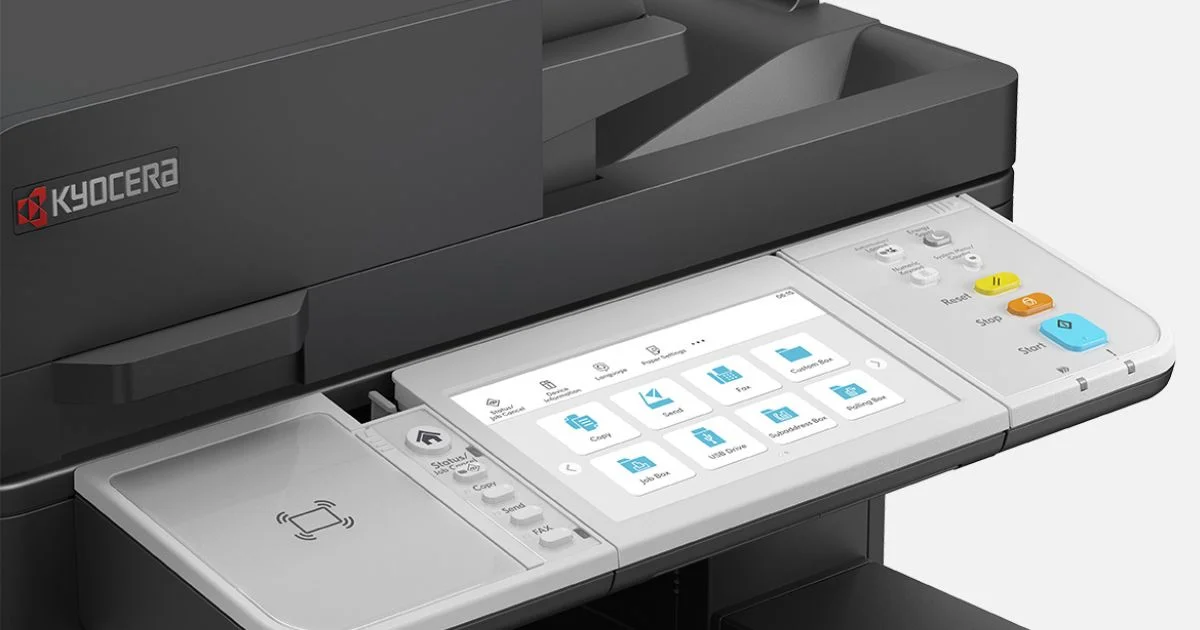
Document capture workflow is where the paper-based filing system problem either gets solved at intake or compounds throughout the engagement. Firms that scan physical documents into a generic folder (client name, year, miscellaneous) haven't built a digital filing system. They've created a digital version of the same problem.
DMConnect captures a document and routes it based on rules: document type, client identifier, engagement status, workflow step. A scanned engagement letter goes to the right client record, tagged with document type and date, flagged for partner review if that's the defined workflow.
For firms with staff across locations, PinPoint Scan 3 sends directly to the correct location in the document management system, tied to the user's credentials. The document enters the system at the point of capture, not at the point of filing. In a folder-based environment, that step happens later. Often it doesn't happen at all.
When the Workaround Becomes the Job
Folder-based storage persists at firms that have outgrown it for one reason: the individual failures are small enough to absorb. A document takes ten minutes to find instead of thirty seconds.
A colleague emails to confirm which version is current. A file gets duplicated because two staff members saved copies under different naming conventions. None of them generate a ticket or a complaint.
The senior associate who spent twenty minutes reconstructing a client correspondence trail because the original wasn't filed where she'd have looked. That doesn't get documented. It becomes part of how the job works.
Automated document retrieval through M-Files accounting doesn't ask staff to abandon their understanding of client files. It changes the mechanism: instead of navigating a folder tree, they search the way they search for anything else. The M-Files research on document search times tracks this pattern across document search times going back two decades.
Retrieval times have improved, but not because folder structures got better. And when your CPA Canada CSQM 1 obligations require demonstrable version control and access tracking, "we have a shared drive" stops being a sufficient answer.
If this sounds like your firm's current situation, reach out to the DIP team. The gap between what your setup costs now and what a structured document management system recovers is usually larger than the first conversation suggests.